OFFICIAL FRUTIGER VST
bring back the early 2000s internet aesthetic you yearn for, and reignite that nostalgia into your production.

Explore the Sound
Everything You Need to Know
WHAT'S INSIDE
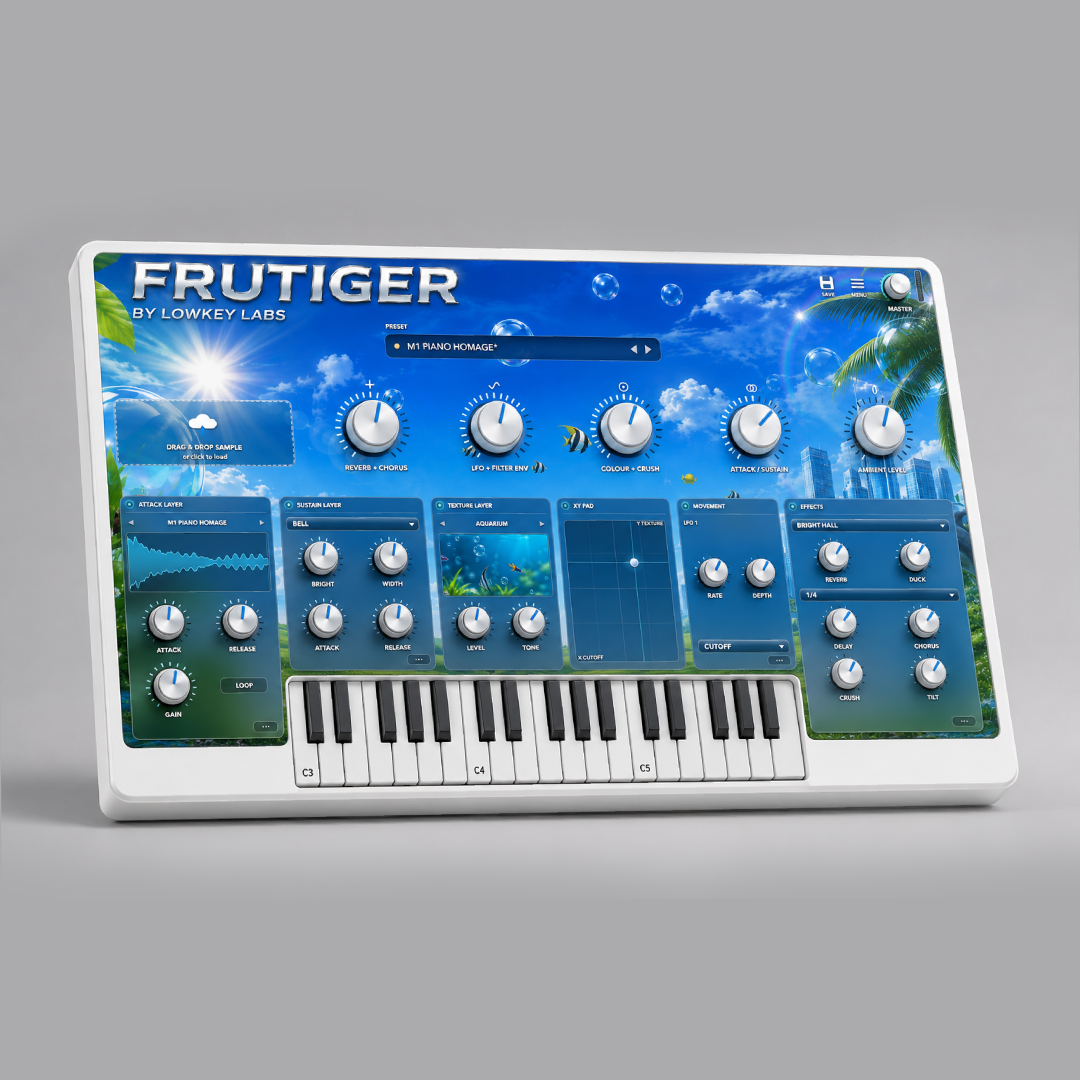
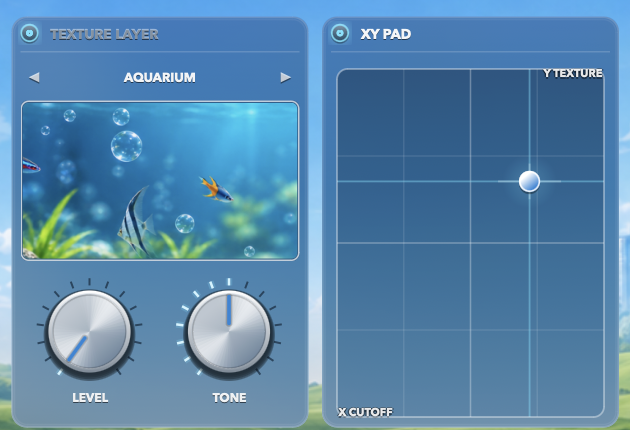
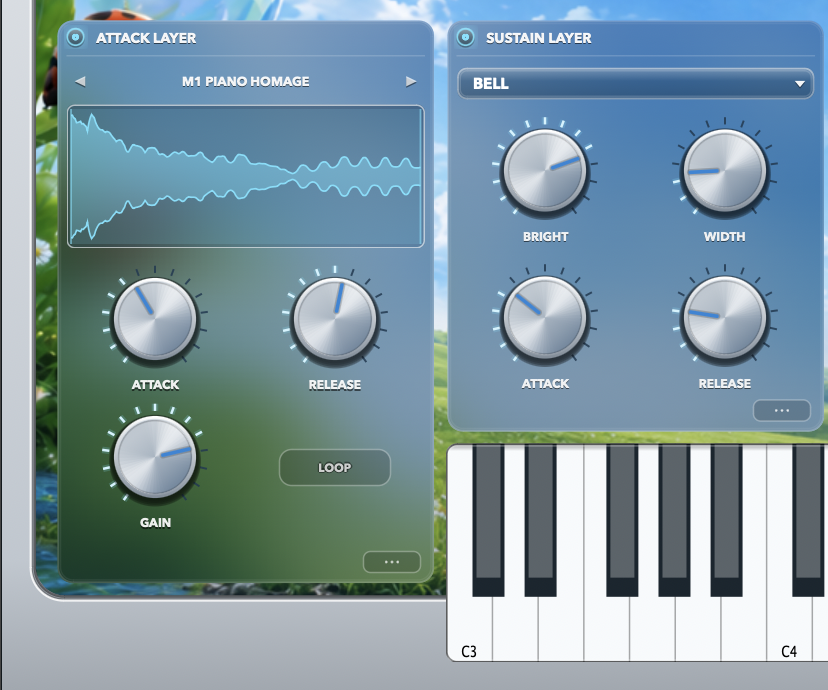
FRUTIGER is a hybrid sampler-synthesiser built around a single idea: the sound of the early 2000s internet. Glass, water, chrome and blue sky: startup chimes, notification bells, aquarium screensavers, the optimism of an operating system that thought the future was going to be beautiful. It is an instrument for a feeling that never had a proper instrument. Every voice runs three layers at once, and the interplay between them is where the character lives. ATTACK is a sampler holding the transient: struck glass, mallets, water, breath. This is the part of a sound your ear identifies in the first forty milliseconds. SUSTAIN is a two-oscillator subtractive synth carrying the body underneath. Six waveshapes from SINE through DIGITAL, a multimode LP / BP / HP filter, and up to seven-voice unison with stereo spread folded into a single WIDTH control. TEXTURE is a global ambience bed that breathes with your playing. Four environments (OCEAN WAVES, FAN HUM, LEAVES WIND, AQUARIUM) fade in as notes are held and recede as they release, so the room is present without ever sitting still underneath you. All three pass through a shared Aero effects chain: four reverb characters (BRIGHT HALL, DEEP CHAMBER, GLASS PLATE, OCEAN CAVE) with ducking that clears space between notes rather than drowning them, tempo-synced delay, three chorus modes, tilt EQ and a six-stage bitcrusher from 16-bit down to 4. What makes it uncommon is that the ATTACK layer pitches chromatically with formant preservation, so a struck bell sampled at one pitch still sounds like that bell three octaves up instead of a chipmunk. Renditions are pre-rendered per semitone on a background thread and played at unity, which means zero added latency.
WHO IS THIS VST FOR
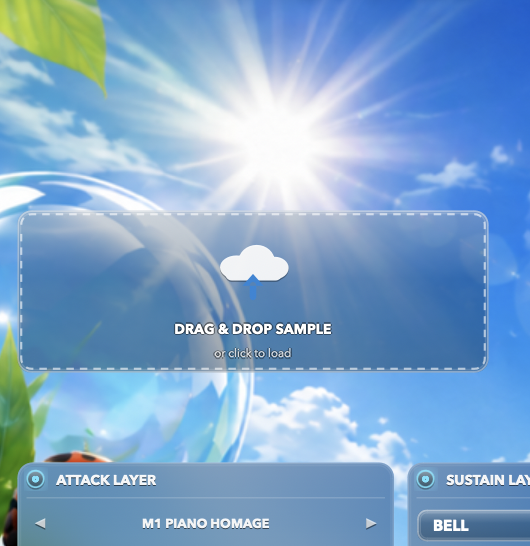
Producers chasing a specific nostalgia. Frutiger Aero, technozen, Y2K, dreamcore, plugg, ambient, lo-fi, hyperpop, vaporwave: anyone building music that sounds like a memory of a screensaver. Beatmakers who want a finished sound fast. Load a preset, play, and it already sits in a mix. Five macro knobs (REVERB + CHORUS, LFO + FILTER ENV, COLOUR + CRUSH, ATTACK / SUSTAIN, AMBIENT LEVEL) move dozens of parameters in musical proportion, so you shape a patch by feel instead of by menu. Sound designers who want to go deep. Every layer opens up: full ADSR per layer, two assignable LFOs with five shapes including sample-and-hold, an XY pad, per-panel bypasses, and a filter envelope with its own attack and decay. Anyone with their own sample library. Drag any WAV onto the ATTACK layer and the instrument builds around it: root note detected automatically, formant-preserved across the keyboard. Not for you if you want an aggressive, distorted, or drum-focused instrument. FRUTIGER is bright, glassy and spacious by design.
WHAT'S INCLUDED IN THE VST
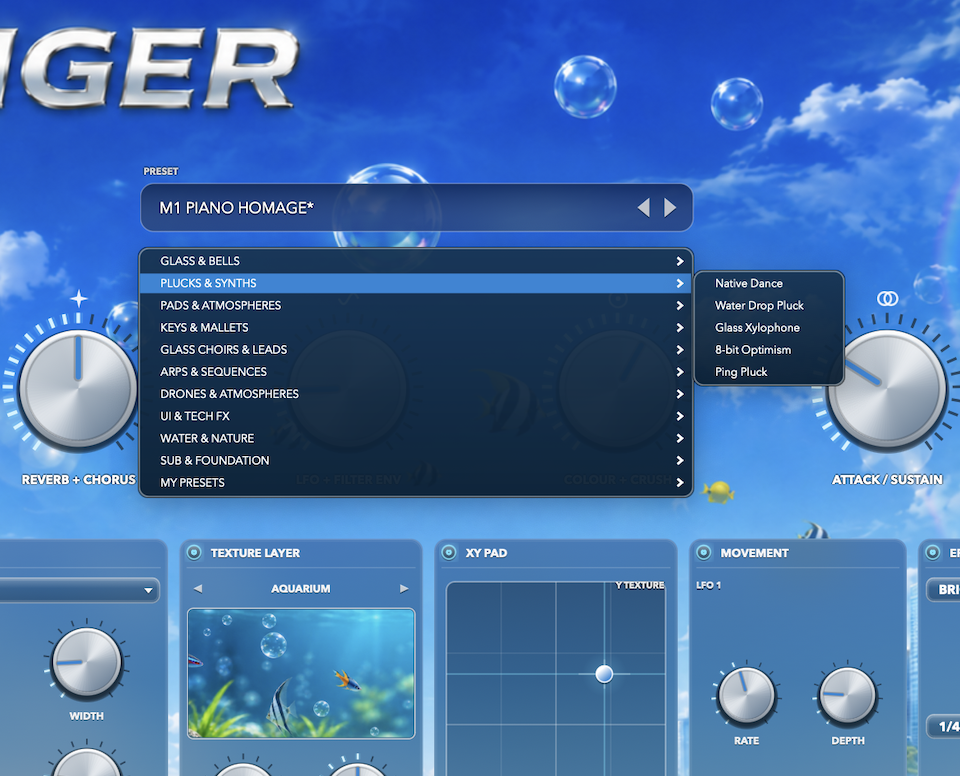
GLASS & BELLS · PLUCKS & SYNTHS · PADS & ATMOSPHERES · KEYS & MALLETS · GLASS CHOIRS & LEADS · ARPS & SEQUENCES · DRONES & ATMOSPHERES · UI & TECH FX · WATER & NATURE · SUB & FOUNDATION. 50 factory presets across 10 categories, every one playable the moment it loads. A library of recorded attack sources (bells and chimes, keys and mallets, digital plucks, glass choirs and formant leads, water and nature) with the synthesis engine filling in where a recording isn't the right answer. 4 texture environments that follow your playing. 4 reverb characters, tempo-synced delay, 3 chorus modes, tilt EQ, 6-stage bitcrush. 2 assignable LFOs, XY pad, filter envelope, per-layer ADSR, per-panel bypass. Drag-and-drop sampling with automatic root detection and formant-preserved chromatic playback. 32-voice polyphony, up to 7-voice unison. VST3, Audio Unit and Standalone. macOS Universal, native on both Apple Silicon and Intel, macOS 11 and later. Windows 64-bit. Your own presets save alongside the factory bank and survive updates.
HOW TO USE THE OFFICIAL FRUTIGER VST
Install. Run the installer for your system and give it permission when asked. Plug-ins install to the shared system folders so every DAW on the machine can see them. Restart your DAW and rescan, and FRUTIGER will be in your instrument list. Start with a preset. The categories are named for what you're reaching for, not for how they were built. Want the sound of a device waking up? UI & TECH FX. Something to sit under a whole track? PADS & ATMOSPHERES or DRONES & ATMOSPHERES. Low end? SUB & FOUNDATION. Shape it with the macros. The five knobs across the top are the fastest route to a patch that fits your record. ATTACK / SUSTAIN balances the struck part against the sustained part: the single most useful control in the instrument. AMBIENT LEVEL sets how much room you're in. COLOUR + CRUSH takes it from pristine to degraded. Make it yours. Drag any WAV onto the ATTACK panel and the instrument rebuilds around your sample. Open the layer panels for full envelope, oscillator, filter and modulation control. Assign an LFO and use the XY pad to perform two dimensions at once. Save. Your presets live beside the factory bank, and MENU → Open samples folder is where you drop your own recordings. Anything you add there takes priority over the shipped library, so you can replace a sound without losing the original.